

Shipping Test Orders: The Ultimate Pre-Launch Checklist for Ecommerce
A proper test order Shopify, BigCommerce test order, or WooCommerce test order validates checkout, payments, taxes, shipping rates, email notifications, and — most importantly — 3PL fulfillment integration. Test payment, shipping rates, order sync, warehouse fulfillment, tracking, and delivery before real customers experience a problem.
Table of Contents
- Why Run a Test Order? Most Sellers Only Test Half the System
- What aspects need to be checked and verified for test orders?
- End-to-End Fulfillment Testing: The Step Most Sellers Skip
- Testing with ChinaDivision: Validate Everything Before Launch
- FAQ About Test Orders and Ecommerce Fulfillment
- Trusted Industry Resources
Launching an online store without completing a test order is risky. A checkout may look perfect, but the real problems often appear after payment: an order fails to sync to the warehouse, the wrong SKU is mapped, shipping options are unavailable, tracking does not return to the store, or the customer receives the wrong package.
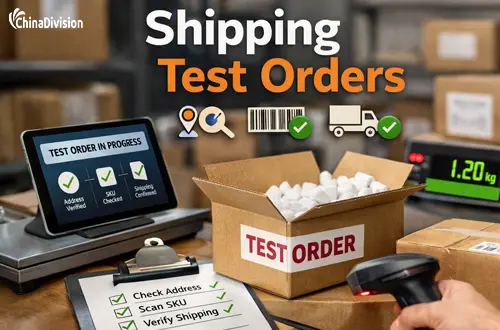
For ecommerce businesses using a 3PL, a shipping test order should test the entire order lifecycle—not just whether the checkout button works.
Why Run a Test Order? Most Sellers Only Test Half the System
Every seller checks the checkout — but most forget to test fulfillment. That’s where the real failures happen.
Cart Abandonment Tells You Why Testing Matters
69.8% average cart abandonment rate — and many reasons are fixable with a test order:
- Unexpected shipping costs: 57%
- Complicated checkout: 24%
- Forced account creation: 23%
- Slow delivery estimates: 18%
- Payment failures / errors: 11%
What aspects need to be checked and verified for test orders?
A basic ecommerce test order may check:
- Product selection
- Cart functionality
- Checkout
- Payment processing
- Taxes
- Shipping rates
- Order confirmation emails
However, for a business using international fulfillment, that is only the first half of the test.
A complete shipping test order should also verify:
Store → Order Management System → 3PL/Warehouse → Pick & Pack → Carrier → Tracking → Customer Notification
A successful checkout does not always mean successful fulfillment
An order can be successfully paid in Shopify while still failing later because:
- The order was not synchronized to the 3PL.
- The SKU does not match the warehouse SKU.
- A product bundle has not been configured.
- The shipping method is not mapped correctly.
- The destination cannot use the selected shipping service.
- The tracking number does not sync back to the store.
That is why professional fulfillment testing should focus on the entire order data flow.
End-to-End Fulfillment Testing: The Step Most Sellers Skip
Simulated orders only prove your store works. Real business needs fulfillment validation.
What to Verify in Every Test Order
| Checkpoint | What to Look For | Common Failure Point |
|---|---|---|
| Checkout Completes | No errors, clear total | Shipping tax not applied |
| Confirmation Email | Arrives instantly; shows items, totals, ship date | Email goes to spam; missing info |
| Order Syncs to 3PL | Appears in fulfillment dashboard within minutes | SKU format mismatch |
| Items Recognized | SKU matches warehouse inventory | Case sensitivity / formatting differences |
| Shipping Method Maps | "Standard" in store = correct service in warehouse | Unmapped → defaulting to expensive option |
| Rate Accuracy | Store shipping cost matches actual fulfillment cost | Underquoting → losing money per order |
| Tracking Returns | After shipment, tracking number posts back to store | Webhook not configured → customers ask "where is my order?" |
Critical Warning: We estimate 40% of new integrations fail the first real order due to SKU mismatches or unmapped shipping options — invisible during simulated testing. Always run one real test order through your fulfillment provider before launch.
For a growing ecommerce business, the fulfillment layer is often where expensive operational problems are discovered. A test order helps identify problems before they affect real customers.
Testing with ChinaDivision: Validate Everything Before Launch
When you connect your store to ChinaDivision, we make fulfillment testing seamless. We support direct integration with Shopify, BigCommerce, WooCommerce, Amazon, Ebay, tiktok shop, and more — so you can validate the entire flow.
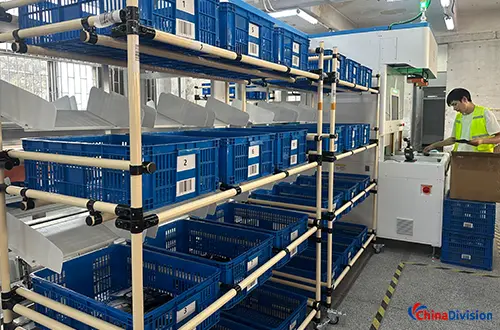
How to Run a Test Order with ChinaDivision
- Connect your store via API or plug-in → sync products and SKUs
- Create a test order in your store with real SKUs and shipping destination
- Mark order as Paid → it automatically imports to your ChinaDivision dashboard
- Review 3 critical mappings:
- ✅ SKU IDs match — fix or merge any mismatches
- ✅ Shipping options map correctly — "Standard" → correct carrier/service level
- ✅ Bundle/kit recognition — if you sell sets, confirm components recognized
- Receive the actual package and inspect quality, packaging, and labeling
FAQ About Test Orders and Ecommerce Fulfillment
Should I physically ship my test order?
For businesses using a 3PL, yes, at least once before scaling. A physical shipment allows you to inspect packaging, product accuracy, tracking updates, transit performance, and the actual delivery experience.
Should I test international orders?
Yes. International orders have additional complexity (duties, taxes, customs). Test orders to multiple countries and validate DDP vs. DDU, duty calculators, and customs documentation.
Can I test order fulfillment with ChinaDivision?
Yes. ChinaDivision offers direct integrations with major ecommerce platforms. Create a test order in your store, import it to the ChinaDivision dashboard, and validate the entire fulfillment workflow.
Trusted Industry Resources


About the Author: Limi

Limi is a content marketing expert at ChinaDivision, helping businesses and e-commerce sellers navigate the complexities of international shipping by providing actionable tips and comprehensive guides on logistics, shipping, and cargo transportation.