

Shopify Ends Etsy Integration in 2027: How to Protect Orders & Inventory
Table of Contents
- Why Is Shopify Ending Etsy Support?
- What Happens to Etsy Orders After Marketplace Connect Support Ends?
- The Biggest Risk Is Not the Integration Switch—It's the Inventory and Fulfillment Gap
- The multichannel fulfillment chain
- Shopify–Etsy Migration Checklist: What Sellers Should Do Before the Deadline
- Why a Centralized OMS and WMS Matter More as You Add Sales Channels
- Frequently Asked Questions About Shopify, Etsy Integration, and International Fulfillment
- Official Resources and Further Reading
Shopify Marketplace Connect will stop supporting Etsy in January 2027. After the change, sellers will no longer be able to rely on Marketplace Connect to synchronize Etsy orders, inventory, or listing updates with Shopify.
The change affects the Etsy connection—not the entire Marketplace Connect app. Shopify says the app will continue supporting other marketplaces, including Amazon, Walmart, and eBay. Sellers using Etsy and Shopify together will need to move to another integration app or establish a different order-management workflow.
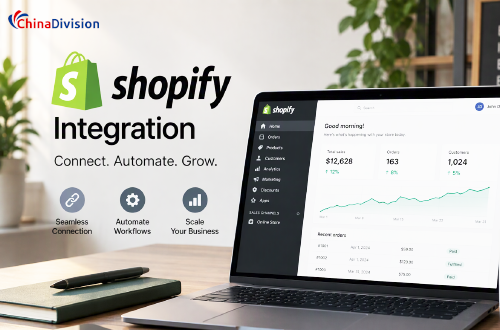
For sellers who depend on Etsy for international sales, this is more than an app change. It can affect how orders enter the fulfillment workflow, how stock is allocated, and whether tracking information reaches customers on time.
Why Is Shopify Ending Etsy Support?
Shopify attributes the decision to limitations in Etsy's access to order and shipping information.
According to the Marketplace Connect notice:
- Etsy limits access to buyer shipping addresses in most regions.
- Etsy sends automatic fulfillment updates only through approved shipping providers.
- These restrictions make it difficult for Marketplace Connect to manage Etsy orders reliably from Shopify.
This matters because a marketplace integration needs more than the ability to copy an order from one platform to another. It must also transfer the information required to ship that order, update inventory, and report fulfillment status.
For example, an order may appear in Shopify, but if the shipping address or fulfillment data is incomplete, the seller or warehouse may still need to return to Etsy to verify details. That creates extra manual work and more opportunities for mistakes.
What Happens to Etsy Orders After Marketplace Connect Support Ends?

After support ends, Marketplace Connect will no longer synchronize Etsy orders, inventory, or listing updates with Shopify.
The exact impact depends on how your store currently uses the integration. However, sellers should prepare for several possible operational problems.
1. Etsy orders may no longer appear automatically in Shopify
If Shopify is your central order-management system, losing the Etsy connection can create a gap between marketplace sales and your fulfillment queue.
Staff may need to check Etsy separately, export orders, or manually enter order information into another system. This adds work and makes it easier to overlook an order during busy periods.
2. Inventory quantities may become inconsistent
Suppose you have 100 units of a product stored in one warehouse and sell through both Etsy and Shopify.
If an Etsy order is not reflected in Shopify inventory, Shopify may continue showing stock that has already been sold. The reverse can also happen: a Shopify sale may not reduce the available quantity displayed on Etsy.
The result can be overselling, cancellations, delayed dispatch, and customer dissatisfaction.
3. Product and listing updates may need separate management
Sellers who manage product information through Shopify may need to update Etsy listings separately after the integration ends.
This is particularly important for products with multiple variants, such as handmade accessories, customized gifts, and made-to-order products. Differences in SKU, variant names, or product availability can create confusion during order processing.
4. Fulfillment and tracking workflows may become fragmented
A warehouse may receive orders from Shopify but not from Etsy, or it may receive the same order through more than one route after a migration.
If the order-management system is not configured correctly, the business could experience duplicate shipments, missed orders, or tracking information that is not returned to the correct marketplace.
The Biggest Risk Is Not the Integration Switch—It's the Inventory and Fulfillment Gap
Many migration guides focus on choosing a replacement Shopify integration app. That is necessary, but it does not solve the entire operational problem.
For international sellers, the more important question is:
Can every Etsy and Shopify order still reach the correct warehouse, consume the correct inventory, ship within the promised handling time, and return valid tracking information to the right sales channel?
Consider a business selling handmade home decor through Etsy and Shopify, with inventory stored at a China-based fulfillment center.
If the new integration imports Etsy orders into Shopify but the warehouse management system (WMS) still receives orders through the old connection, the business could create a gap between the storefront and the warehouse.
A successful migration therefore needs to connect four operational stages:
The multichannel fulfillment chain
- Sales channel
Etsy and Shopify capture customer orders. - Order synchronization
The integration or order-management system consolidates orders and validates SKUs, quantities, and shipping details. - Warehouse execution
The WMS receives the order, allocates stock, and manages picking, packing, and dispatch. - Shipping and tracking feedback
The carrier tracking number is recorded and returned through the correct channel, subject to each marketplace's requirements.
A migration is not complete simply because a test order appears in Shopify. It is complete when the order can travel through the entire chain without manual workarounds, duplicate processing, or missing shipment updates.
Shopify–Etsy Migration Checklist: What Sellers Should Do Before the Deadline
The safest approach is to migrate in stages instead of waiting until the final days. Shopify's notice recommends disconnecting the Etsy account from Marketplace Connect and selecting another Etsy app.
Step 1: Audit your current Shopify and Etsy setup
Before installing a replacement app, document how your current workflow operates.
| Area to review | What to check | Why it matters |
|---|---|---|
| Product catalog | SKU, variants, titles, images | Prevents incorrect product mapping |
| Inventory | Stock quantity and warehouse location | Reduces overselling |
| Etsy orders | Order details, shipping address, personalization | Ensures orders can be fulfilled correctly |
| Fulfillment | Picking, packing, dispatch process | Avoids workflow interruptions |
| Tracking | Carrier, service, tracking number | Supports customer updates |
| Returns and cancellations | Refund and restocking procedures | Keeps inventory and financial records aligned |
Pay particular attention to SKU consistency. If a product has one SKU in Shopify and another in Etsy, the replacement integration may not automatically recognize that they represent the same item.
Step 2: Choose a replacement integration based on your actual workflow
Do not compare apps only by their ability to import orders. Evaluate the complete set of functions needed to operate both stores.
| Evaluation criteria | Questions to ask |
|---|---|
| Order synchronization | Can new Etsy orders be imported automatically and reliably? |
| Inventory synchronization | Does stock update in both directions? |
| SKU mapping | Can existing product and variant relationships be mapped accurately? |
| Listing management | Can Etsy-specific titles, prices, and descriptions be retained? |
| Shipping updates | Can tracking and fulfillment status be sent back to Etsy? |
| Error handling | Are failed syncs visible, logged, and easy to resolve? |
| Returns and cancellations | How are refunds, cancellations, and restocking handled? |
| Warehouse compatibility | Can orders be passed to your OMS or WMS without duplicate imports? |
Shopify's own guidance also warns merchants to avoid having multiple marketplace connector apps connected in a way that creates data conflicts. Plan the transition so that the old and new systems do not process the same orders simultaneously.
Step 3: Test the replacement integration with real operating scenarios
A successful connection test is not enough. Test the scenarios that are most likely to cause problems.
| Test scenario | Expected result |
|---|---|
| New Etsy order | Order appears in the designated order-management system |
| Shopify sale of shared SKU | Available stock is updated correctly for Etsy |
| Etsy sale of shared SKU | Available stock is updated correctly for Shopify |
| Product variant update | Correct variant and SKU remain linked |
| Partial fulfillment | Shipped and unshipped quantities are recorded accurately |
| Tracking upload | Tracking information reaches the appropriate marketplace |
| Order cancellation | Order status and inventory are reconciled correctly |
| Duplicate sync attempt | Warehouse does not dispatch the same order twice |
For high-volume sellers, run the tests with multiple SKUs and variants. A single successful test order does not prove that the migration will handle the full catalog.
Step 4: Reconcile inventory before switching over
This step is especially important if you use a third-party warehouse.
Before changing integrations, compare:
- Shopify available inventory
- Etsy available inventory
- Physical warehouse stock
- Stock already allocated to unfulfilled orders
- Damaged, reserved, or quality-control inventory
A useful starting calculation is:
AvailabletoSell=PhysicalStock-AllocatedStock-ReservedStock
Do not simply copy the quantity shown in one storefront to the other. The warehouse's actual available-to-sell quantity should be the operational reference.
Step 5: Monitor the first weeks after migration
After the new integration goes live, review synchronization and fulfillment performance daily.
| KPI | What it reveals |
|---|---|
| Order sync success rate | Whether orders are entering the workflow correctly |
| Inventory mismatch rate | Whether stock quantities remain consistent |
| Duplicate order rate | Whether multiple systems are importing the same order |
| Order processing time | Whether the migration is slowing warehouse execution |
| On-time dispatch rate | Whether orders are leaving the warehouse within the handling window |
| Tracking upload success rate | Whether customers and marketplaces receive shipment updates |
A practical recommendation is to monitor every new Etsy order against the warehouse's order queue during the first few operating days. This catches problems before they accumulate into a large backlog.
Why a Centralized OMS and WMS Matter More as You Add Sales Channels
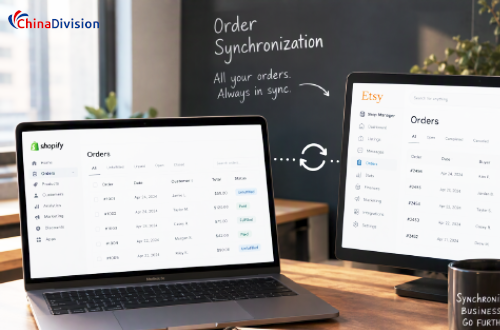
An integration app connects storefronts. An order management system (OMS) and warehouse management system (WMS) help turn those orders into controlled warehouse operations.
These systems solve different parts of the problem:
| System | Primary responsibility | Operational value |
|---|---|---|
| Marketplace integration | Connects Etsy and Shopify | Transfers order, product, and inventory data |
| OMS | Consolidates orders from sales channels | Provides a unified order view and routing rules |
| WMS | Manages warehouse inventory and tasks | Controls receiving, storage, picking, packing, and dispatch |
| Shipping platform | Manages carrier selection and shipment data | Supports label creation, tracking, and shipping-cost management |
A seller may not need four separate software products. Some fulfillment providers combine several functions in one platform. What matters is that the complete workflow has a clear source of truth and that each system knows which data it is responsible for updating.
A practical multichannel workflow
For a business selling through Etsy and Shopify while holding stock in an international warehouse, a robust process looks like this:
- Etsy and Shopify capture customer orders.
- The integration layer transfers orders to the central OMS.
- The OMS validates SKU, quantity, destination, and order-specific instructions.
- The WMS checks available stock and creates warehouse tasks.
- Warehouse staff pick, inspect, pack, and dispatch the products.
- Shipment and tracking information is passed back through the appropriate integration to the relevant sales channel.
- Inventory is reconciled after fulfillment, returns, cancellations, and stock adjustments.
The most important design decision is to establish which system owns each update. For example, if the warehouse WMS controls physical stock, a manual inventory adjustment in Shopify should not silently overwrite the warehouse's verified quantity.
Frequently Asked Questions About Shopify, Etsy Integration, and International Fulfillment
1. When will Shopify Marketplace Connect stop supporting Etsy?
Shopify's notice identifies January 29, 2027, as the date Marketplace Connect will stop supporting Etsy. However, the notice body also mentions January 27, 2027. Sellers should verify the operative date in their merchant notification or with Shopify support and complete migration preparations ahead of either date.
2. Will Shopify Marketplace Connect stop working with Amazon, Walmart, and eBay?
No. The announced change is specific to Etsy support. Shopify's Help Center currently lists Amazon, Target Plus (United States only), Walmart (United States only), and eBay among the supported marketplaces for Marketplace Connect.
Shopify Marketplace Connect app
3. How can I prevent overselling when Shopify and Etsy use the same inventory?
Use a consistent SKU structure and establish one authoritative inventory source. Ideally, inventory updates should account for physical stock, open-order allocations, reserved units, and damaged goods.
Test stock updates in both directions: an Etsy sale should reduce the quantity available on Shopify, and a Shopify sale should reduce the quantity available on Etsy.
4. Can a third-party fulfillment company process both Shopify and Etsy orders?
Yes, provided the fulfillment company's order-management workflow can receive orders from both channels, directly or through a compatible integration.
Before choosing a provider, confirm how it handles SKU mapping, inventory updates, order exceptions, shipment tracking, and duplicate-order prevention. A warehouse that can receive orders but cannot reliably reconcile inventory and fulfillment status may create additional manual work.
5. How can ChinaDivision support Shopify and Etsy sellers?
ChinaDivision provides China-based warehousing, e-commerce order fulfillment, picking and packing, and international shipping services. Sellers can discuss their current Shopify and Etsy order workflow with the team to determine how orders, inventory information, and warehouse operations should be coordinated.
Official Resources and Further Reading
The following resources are useful for checking the announcement, reviewing Shopify's current integration guidance, and planning your migration:
Shopify Marketplace Connect: Etsy support announcement
Shopify Help Center: Marketplace Connect
Shopify Help Center: Fulfill Marketplace Connect orders
Do not wait until the integration deadline to migrate. Choose a replacement, reconcile your inventory, test order synchronization and tracking, and confirm that your warehouse can process orders through the new workflow. For international sellers, protecting the connection between sales channels and warehouse operations is just as important as keeping the storefronts connected.


About the Author: Limi

Limi is a content marketing expert at ChinaDivision, helping businesses and e-commerce sellers navigate the complexities of international shipping by providing actionable tips and comprehensive guides on logistics, shipping, and cargo transportation.